

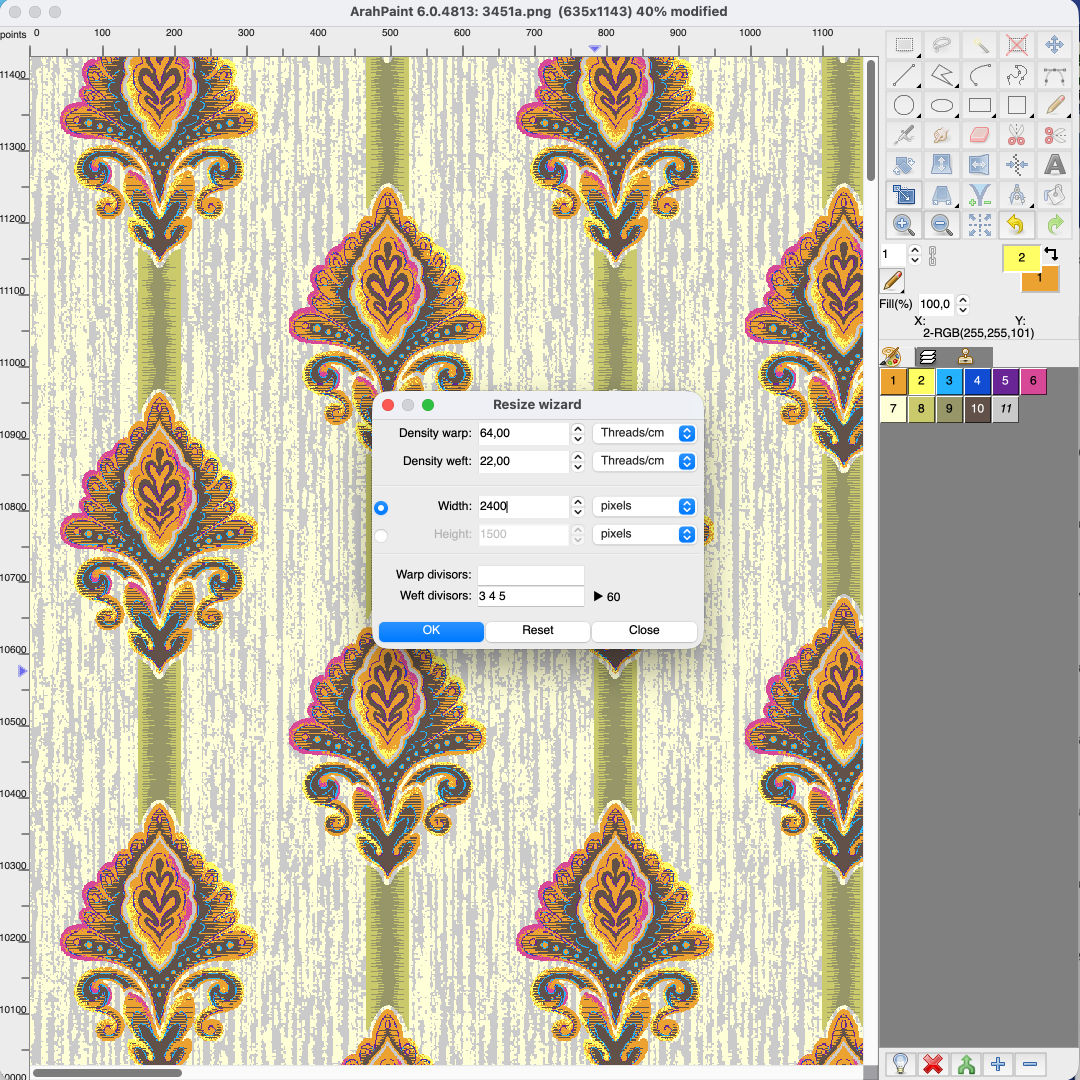
Resize jacquard design for production in ArahPaint
Preparing a digital jacquard design for production requires more than simply creating the right visual pattern. The design also needs to match the technical specifications of the weaving machine, including yarn density and hook count.
The latest version of ArahPaint makes this process faster and easier with the new Wizard tool.
The Wizard allows designers to quickly resize and adapt jacquard designs to specific production requirements, while maintaining control over the key parameters that determine how the design will translate onto the loom.
What can you control with the new Wizard?
Warp and weft density
Define the required warp and weft density in threads per inch or threads per centimeter, allowing the design to be adapted to different fabric specifications.
Precise warp hook count
Set the number of warp hooks according to your jacquard machine, either directly in pixels or using physical dimensions.
Warp and weft divisors
Apply warp and weft divisors to maintain compatibility with the required weave repeat and ensure that the resized design remains suitable for production.
From digital design to loom-ready file
By bringing these adjustments together in a single tool, the new Wizard simplifies an important step between textile design and weaving production. Instead of manually calculating and adjusting multiple parameters, designers can define the required specifications and prepare their jacquard designs in just a few steps.
Watch the video to see how the new ArahPaint Wizard can help you make jacquard designs production-ready in just a few steps.
Wizard tool in ArahPaint