
Dark mode in ArahWeave
Dark mode is officially coming to ArahWeave, and while it may look like a simple visual option, it’s the result of a thoughtful redesign aimed at improving real weaving workflows.
We work inside the fashion and textile industry, but we don’t follow visual trends just because they’re popular. Our priority has always been to build tools that are functional, reliable, and efficient, not to add cosmetic features without purpose. Dark mode has become widespread today, often promoted for energy savings or reduced eye strain, but what convinced us was something far more practical:
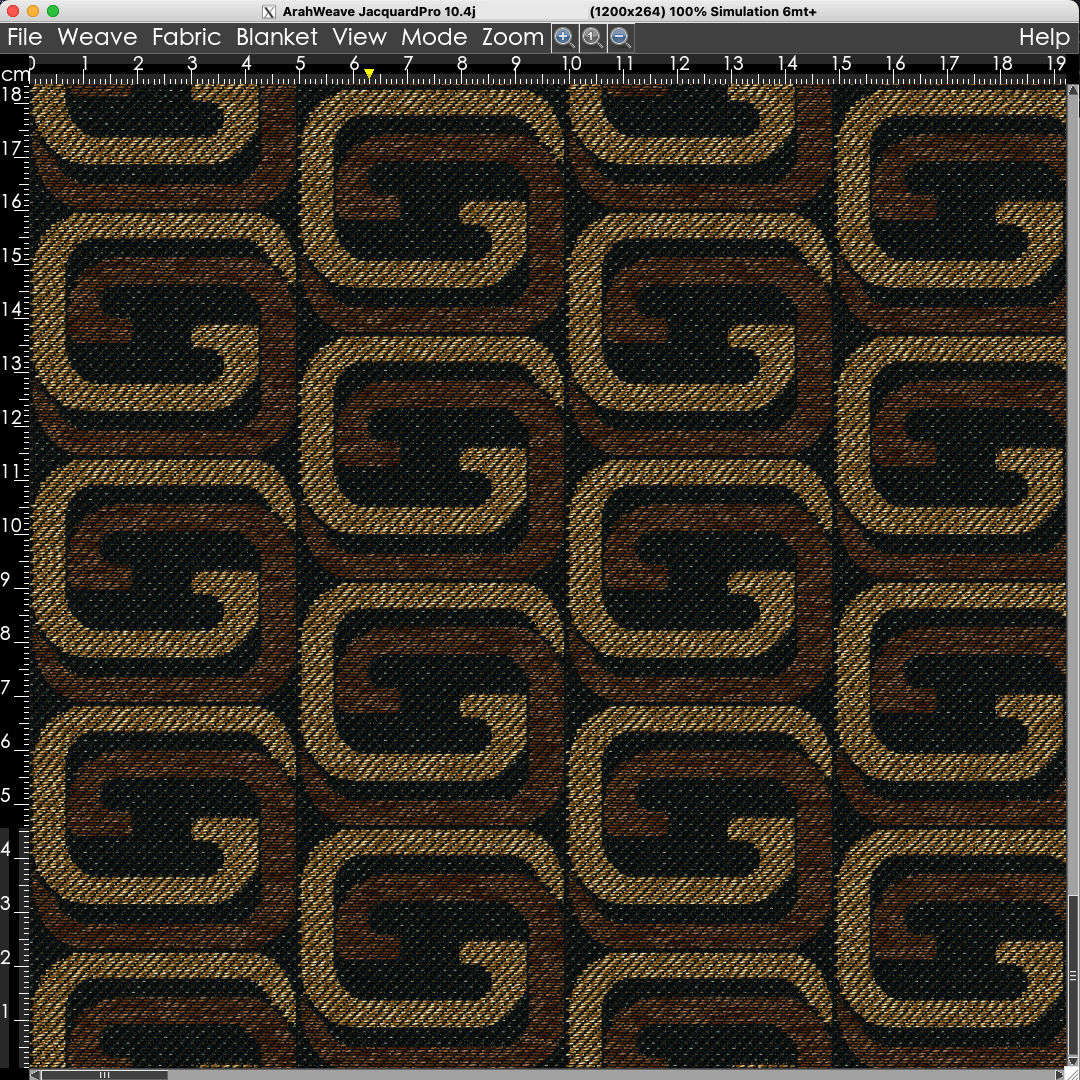
Dark fabrics are difficult to evaluate when placed next to a bright white ruler.
This everyday challenge highlighted a genuine usability issue. To address it, we introduced a dynamic dark‑mode switch in the View menu, allowing you to toggle instantly between light and dark environments depending on the fabric you’re analyzing.
Toggle between Dark and Normal mode in ArahWeave. Fabric developed by Tessibiella.
At first glance, dark mode may seem like a simple color inversion. In reality, it required a deep redesign of the interface, including:
- Coordinated shades to maintain clarity and contrast
- Redrawn black icons optimized for dark backgrounds
- New background rendering to avoid glare and harsh transitions
- Updated accent colors to guide the eye where it matters
- Careful handling of every widget to ensure a consistent experience
The result is an interface that feels calmer, more balanced, and better suited for evaluating dark fabrics, without compromising the precision and technical depth that define ArahWeave.
We hope this improvement makes your daily work more comfortable and more efficient.